




To enter your Windows Hosting management system you have to follow a few steps:
- Point your browser to http://ftp.yourdomain.com (replace your domain.com with your domain name);
- Type your username and password;
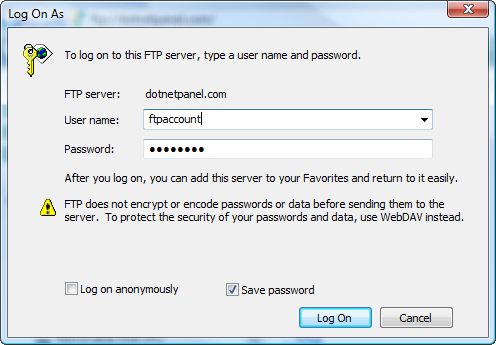
3. Click on "Log on" to enter.
We remind you that immediately after the registration your domain name may result unavailable because of the DNS propagation: the procedure could take up to 72 hours.
You will be able to enter via FTP anyway by using the numeric address our team provided you with via e-mail as you purchased your service.