




To unsubscribe Keliweb newsletter you have to follow a simple procedure:
- Log into your customer area
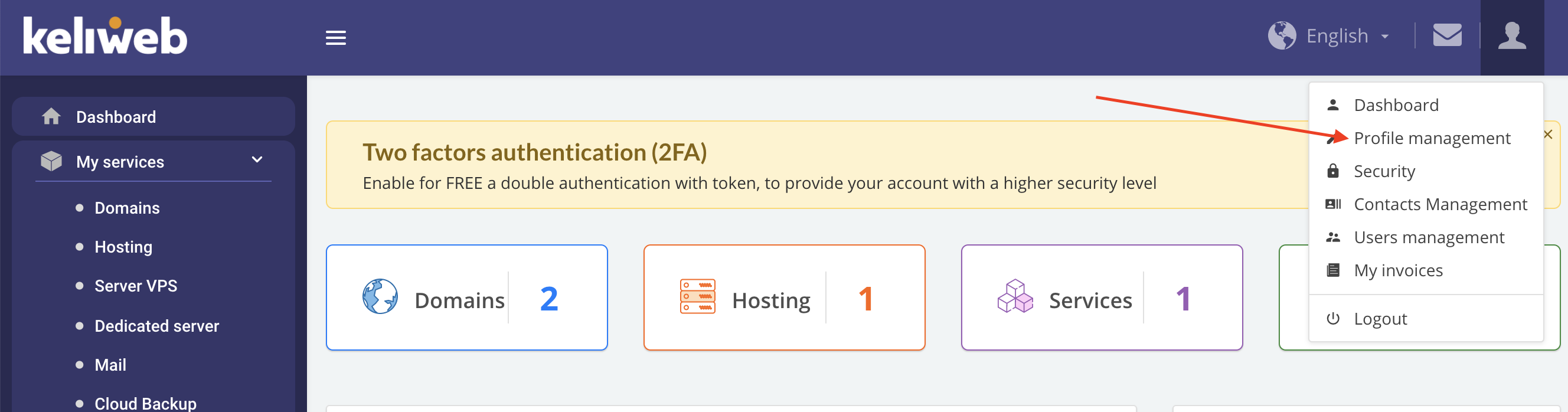
- In the account tab, up on the right, click "Profile management"
- Remove the flag from "I agree to receive Keliweb newsletter"
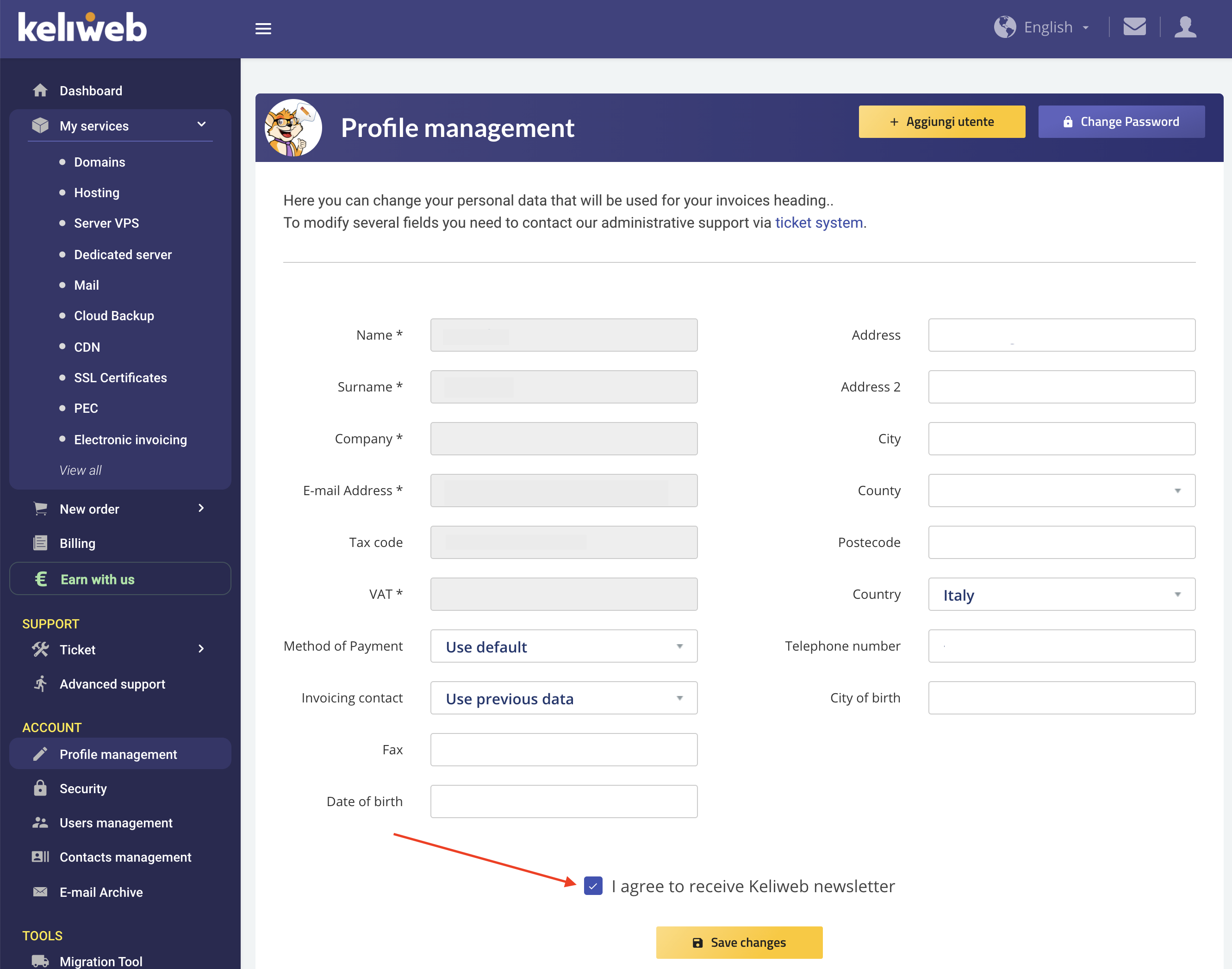
- Complete the procedure by clicking "Save changes".